Start with the basics
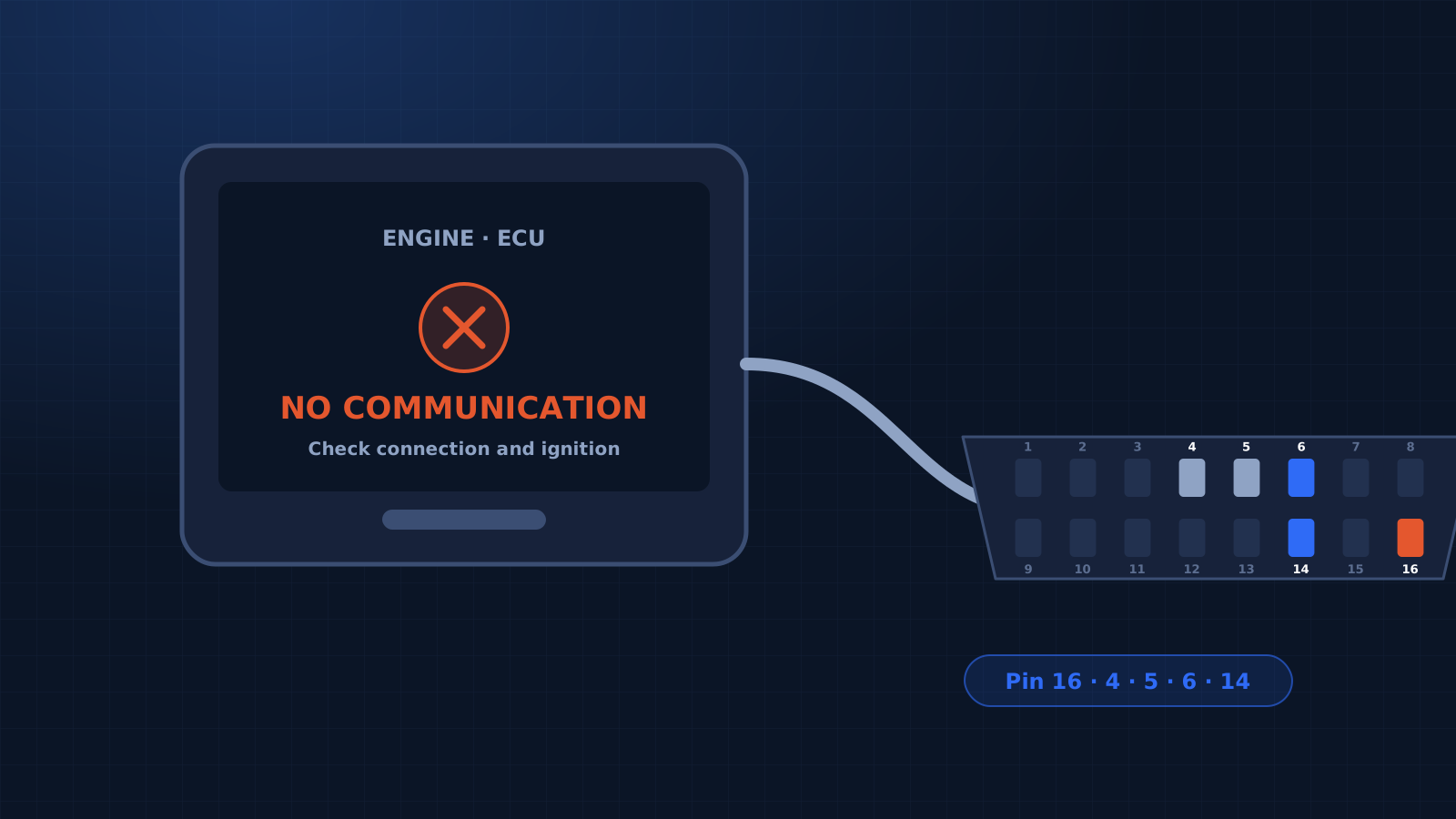
Ignition must be ON, battery voltage above 12 V, and the correct make, model and system selected in the scanner. Try the scanner on another car to rule out a cable fault.
Check the OBD socket
Use a multimeter at the 16-pin socket.
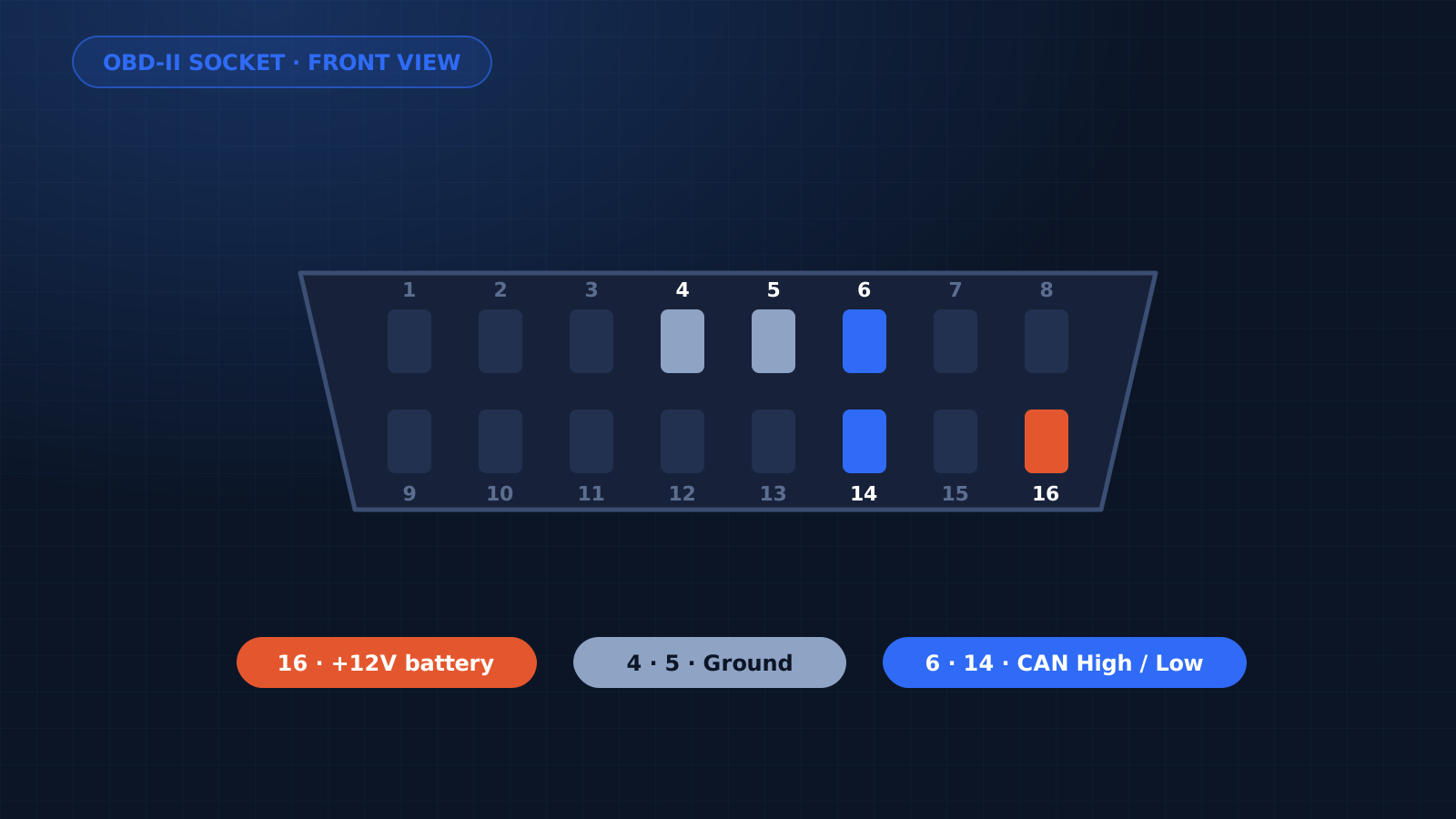
- Pin 16: battery positive, about 12 V.
- Pins 4 and 5: ground. Check against battery negative.
- If pin 16 is dead, check the fuse for the OBD socket (often shared with the cigarette lighter or horn).
Check the CAN lines
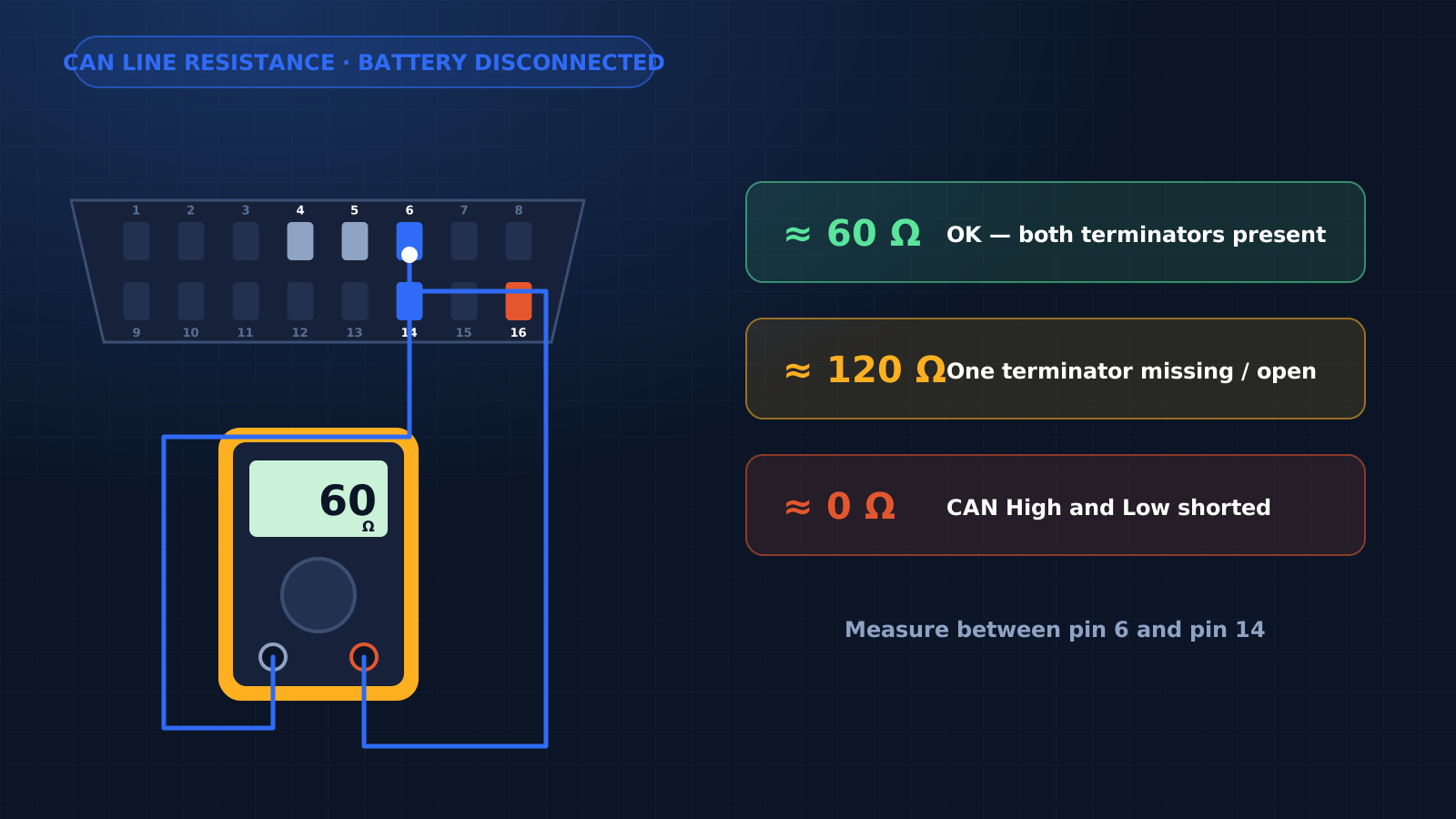
Pins 6 (CAN High) and 14 (CAN Low) carry data. With the battery disconnected, resistance between them should be about 60 Ω. About 120 Ω means one termination resistor is missing; near 0 Ω means a short between the lines.
Then suspect the ECU supply
If the socket is fine, check the ECU's own power, ground and main relay before deciding the ECU is faulty.
Frequently asked questions
Why does the scanner say “No communication”?
Most often because of missing power or ground at the OBD socket, ignition OFF, the wrong vehicle or system selected, a faulty cable, or a CAN line fault.
Which OBD pins should I check first?
Pin 16 for battery +12 V, pins 4 and 5 for ground, and pins 6 and 14 for CAN High and CAN Low.
What should the resistance be between OBD pin 6 and pin 14?
About 60 Ω with the battery disconnected. About 120 Ω means one terminator is missing; near 0 Ω means CAN High and Low are shorted.